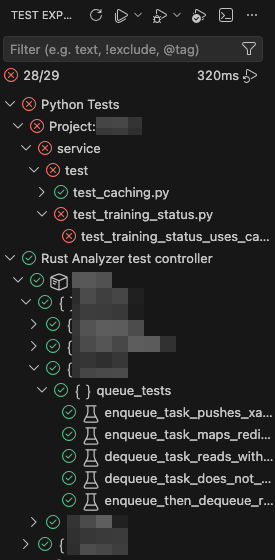
예전 글에서 vscode의 test explorer에 Rust의 unittest가 보이도록 설정하는 방법을 다룬 적이 있었는데, 여기에 Python test case (여기서는 pytest)도 함께 표시되도록 하려면 .vscode/settings.json을 편집해 주어야 한다.
해당 프로젝트의 경우 가상환경을 source root에 두지 않고 서브 디렉토리인 service/.venv 안에 넣어 두었기 때문에 python.defaultInterpreterPath 값을 이곳으로 직접 설정해 주고 pytest 사용을 위한 설정도 해 두었다.
{
    // Rust unit test
    "rust-analyzer.testExplorer": true,

    // Python virtual environment용 인터프리터 설정
    "python.defaultInterpreterPath": "${workspaceFolder}/service/.venv/bin/python",

    // pytest 사용
    "python.testing.pytestEnabled": true,
    "python.testing.unittestEnabled": false,

    // Python unit test가 있는 디렉토리 경로
    "python.testing.pytestArgs": [
        "service/test"
    ],
    "python-envs.defaultEnvManager": "ms-python.python:venv"
}
그리고 나서 vscode GUI에서도 다시 한번 venv를 설정해 준다. 그냥 프로그램을 재 실행 했으면 이 부분은 건너 뛰어도 되었을 것 같긴 한데, 오류가 계속 뜨길래 수동으로 설정해 주었다.

이렇게 하고 나면 test explorer에 두 언어의 test case들이 모두 표시되는 평화로운 공존상태가 된다.