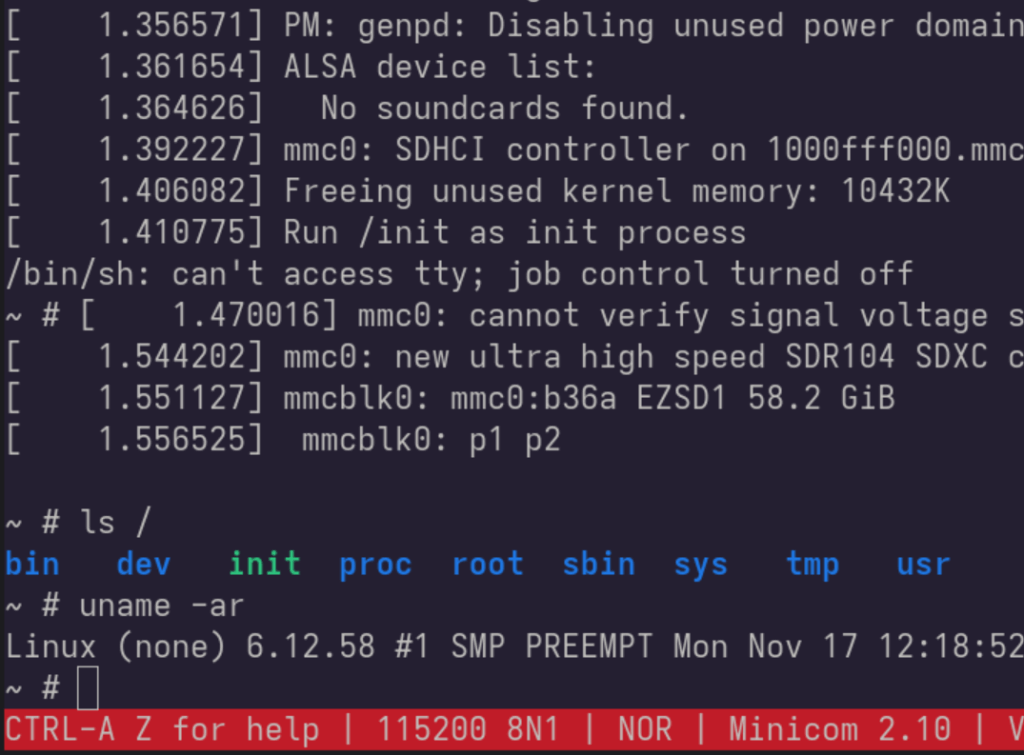
이 포스팅에서는 Raspberry pi 5(RPi5)에 아주 단순한 리눅스 시스템을 구성해서 부팅해 보는 과정을 다룬다. Ubuntu 24.04 개발환경에서 RPi5를 위한 u-boot, Linux, Busybox를 설정하고 부팅해 볼 것이다.
SD card 준비
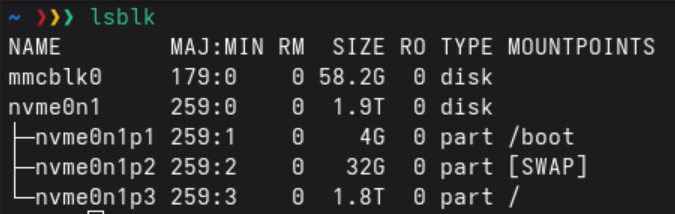
SD card를 개발 호스트 머신에 삽입하고 lsblk 명령어로 연결된 디바이스들을 확인한다.
위의 예제에서 SD card는 mmclbk0이다. 저장공간의 크기를 통해 구분하거나 SD card를 삽입할 때 커널 메세지를 잘 보고 엉뚱한 디바이스를 지정하지 않도록 주의하자 실수하면 의도치 않게 시스템 정보를 날려 먹을 수도 있다.
파티션 생성
parted 명령어로 파티션을 생성한다. 부팅만을 위해는 첫번째 파티션인 256MiB짜리 FAT32만 설정해도 된다. 이 공간에 부팅에 관련된 boot loader, kernel, RAM disk image를 넣어주게 된다.
# MBR 설정을 위한 msdos label을 생성
sudo parted /dev/mmcblk0 mklabel msdos

# 파티션 두개(boot / data)를 만든다. ext4는 부팅과는 상관 없다.
sudo parted -a optimal /dev/mmcblk0 mkpart primary fat32 1MiB 256MiB
sudo parted -a optimal /dev/mmcblk0 mkpart primary ext4 256MiB 100%

# 파일 시스템을 생성한다.
sudo mkfs.vfat /dev/mmcblk0p1
sudo mkfs.ext4 /dev/mmcblk0p2
Kernel – Linux v6.12.58
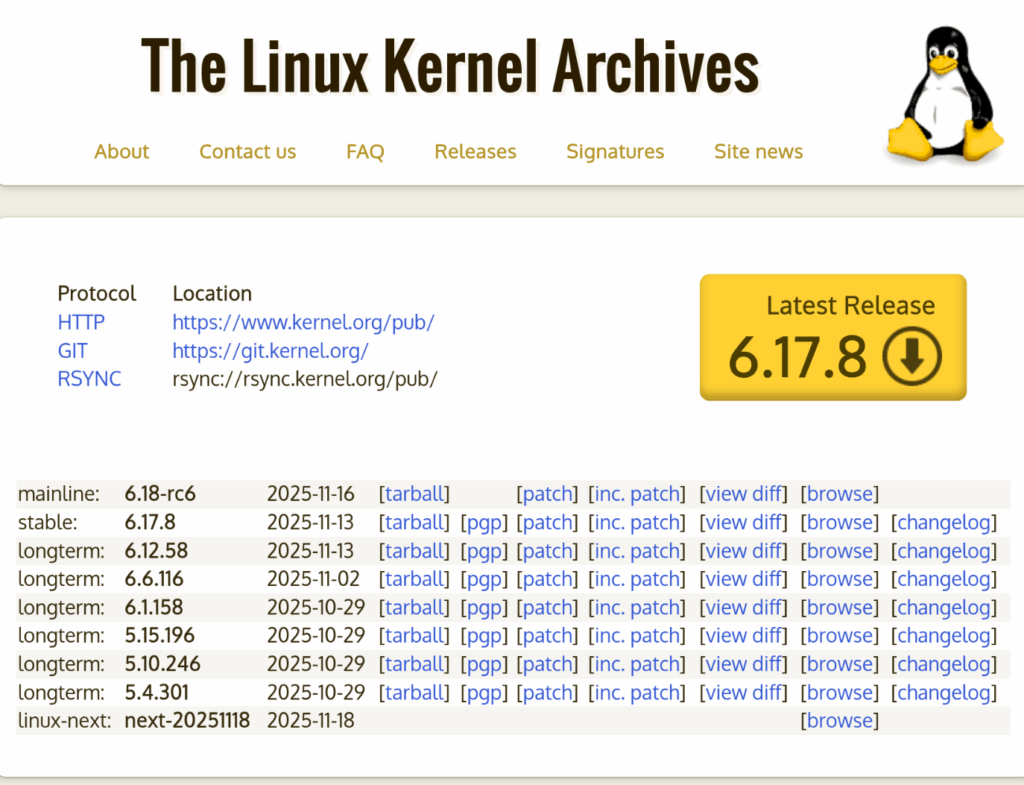
LTS 커널 중에 2025년 11월 현재 가장 최신 버전인 v6.12.58을 골랐다. 딱히 특정한 버전을 사용해야 하는 것은 아니므로 안정적이라고 알려진 버전 중에 아무것이나 고르면된다.
Source code
GitHub를 통해서 코드를 받거나 Kernel Archive에서 tarball을 받아도 되는데, GtiHub는 히스토리를 다운로드 받는 것 때문에 생각보다 시간이 좀 걸렸다.
git clone https://git.kernel.org/pub/scm/linux/kernel/git/stable/linux.git
cd linux
git checkout v6.12.58
Kernel Build
ARM64 CPU인 RPi5용 커널을 x86에서 빌드하기 위해서 cross compiler를 설치해야 한다.
sudo apt update
sudo apt install -y crossbuild-essential-arm64
Cross compile을 위해 ARCH와 CROSS_COMPILE 환경변수들을 아래와 같이 설정해 주고, make defconfig를 실행해서 .config 파일을 생성한다. 컴파일 타겟은 kernel image를 위한 Image, device tree blob을 위해 dtbs 그리고 kernel module들을 위한 modules를 지정해 주었다.
export ARCH=arm64
export CROSS_COMPILE=aarch64-linux-gnu-

# Defconfig
make defconfig

# Compile
make -j `nproc` Image dtbs modules
빌드가 완료된 후에는 다음 두개의 파일이 잘 생성되어 있는지 확인한다.
# Linux kernel image
$ ls -l arch/arm64/boot/Image
-rw-rw-r-- 1 litcoder litcoder  arch/arm64/boot/Image

# BCM2712용 device tree blob
$ ls -l arch/arm64/boot/dts/broadcom/bcm2712-rpi-5-b.dtb
-rw-rw-r-- 1 litcoder litcoder  arch/arm64/boot/dts/broadcom/bcm2712-rpi-5-b.dtb
Boot loader – u-boot v2025.10
2025년 11월 현재 최신 버전인 tag v2025.10를 사용했다.
git clone https://github.com/u-boot/u-boot.git && cd $_
git checkout v2025.10
Compile
u-boot을 빌드하기 위해, 앞서 설정한 cross compiler외에도 파서 생성에 필요한 flex, bison과 GNU TLS를 위한 libgnutls28-dev를 설치해 주었다. 만약 24.04가 아닌 다른 버전을 사용하고 있다면 apt-cache search libgnutls 명령어로 대체 가능한 다른 패키지를 검색해 볼 수 있을 것이다.
sudo apt update
sudo apt install flex bison libgnutls28-dev
v2025.10 버전에서는 명시적으로 RPi5 이름이 붙은 defconfig 파일은 없고 대신에 rpi_arm64_defconfig를 사용하면 된다. ARCH와 CROSS_COMPILE 환경변수를 설정하고 컴파일한다.
export ARCH=arm64
export CROSS_COMPILE=aarch64-linux-gnu-

# Defconfig PRi5
make rpi_arm64_defconfig

# Compile
make -j `nproc`
컴파일이 완료되면 아래와 같이 u-boot 관련 파일들이 생성되는데 이 중 u-boot.bin file이 생성된 부트로더 파일이다.
$ ls -l u-boot*
-rwxrwxr-x 1 litcoder litcoder  u-boot
-rw-rw-r-- 1 litcoder litcoder  u-boot-nodtb.bin
-rw-rw-r-- 1 litcoder litcoder  u-boot.bin # 부트로더 파일
-rw-rw-r-- 1 litcoder litcoder  u-boot.cfg
-rw-rw-r-- 1 litcoder litcoder  u-boot.dtb
-rw-rw-r-- 1 litcoder litcoder  u-boot.lds
-rw-rw-r-- 1 litcoder litcoder  u-boot.map
-rw-rw-r-- 1 litcoder litcoder  u-boot.srec
-rw-rw-r-- 1 litcoder litcoder  u-boot.sym
RootFS – Busybox 1_37_0
부트로더가 커널을 불러서 부팅까지 성공 했다면, 시스템 부팅의 후반 과정을 통해 필요한 데몬을 띄우거나 필요한 특수 파일 시스템을 구성하고 shell을 구동해서 명령어 입력이 가능한 상태로 만드는 일을 수행해야 하는데 이러한 정보를 담아두는 공간을 RootFS라고 한다. RootFS를 구성하는 여러가지 방법이 있으나, 여기에서는 가장 간단하게 Busybox를 이용해서 RAM disk image 형태로 만들어서 커널 부팅 이후의 과정을 수행하도록 한다.
Busybox git repository인 https://git.busybox.net/busybox 에서 필요한 버전을 tarball로 다운로드 받거나 git명령어로 받아서 소스 코드를 준비한다.
git clone https://git.busybox.net/busybox
cd busybox
git checkout 1_37_1
Compile
Cross compile을 위한 환경을 설정하고 make defconfig로 .config 파일을 생성한다.
export ARCH=arm64
export CROSS_COMPILE=aarch64-linux-gnu-

make defconfig
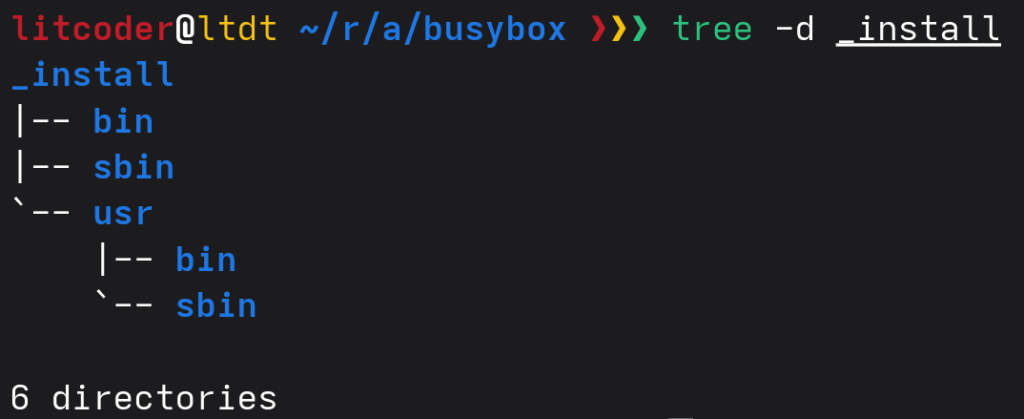
생성된 .config 파일안에는 몇가지 설정이 있는데, 정적 링크를 위해 CONFIG_STATIC을 y로 설정해 주고 컴파일 오류를 방지 하기 위해 CONFIG_TC를 unset 해준다. 이 파일에서 보이듯이 기본 설치 디렉토리는 _install 디렉토리 이다.
# 생성된 .config 직접 편집
...
# not set -> y로 변경
CONFIG_STATIC=y
...
CONFIG_PREFIX="./_install"
...
# y -> not set으로 변경
#CONFIG_TC is not set
make oldconfig 후 컴파일 및 설치를 실행하면 _install directory안에 필요한 파일들이 설치된다.
make oldconfig
make -j `nproc`

# _install directory에 설치 파일 복사
# 주의: sudo를 쓰지 말것. 실수로 시스템이 망가지는 것을 막을 수 있음.
make install
RAM disk image 만들기
Busybox는 GNU coreutils처럼 기본적인 명령어들을 제공한다. 이러한 명령어들를 사용하기 위해서는 “busybox ls”와 같이 수행하고자 하는 명령어의 앞에 busybox를 입력해 주어야 하는데, /bin/sh가 /bin/busybox를 link하도록 하면 shell에 의해 자동적으로 이 부분이 수행 된다.
Linux kernel 부팅이 끝나고 나서 자동으로 init script가 불려지는 과정이 있는데, 이 내용을 포함한 RAM disk를 생성하는 과정을 아래와 같이 script로 만들어 두었다. 이 스크립트를 사용 하기 위해서는 위에서 설명한 busybox 관련 내용들을 make install까지 수행한 다음, export BUSYBOX_DIR=${PWD}로 환경변수를 설정해주고 스크립트를 수행하면 된다.
스크립트가 잘 수행되었다면 uInitrd 파일이 생성될 것이다.
설치 하기
RPi5의 ROM으 로드되면 FAT 파티션안에 있는 config.txt 파일의 내용을 읽어서 그 내용대로 수행해 준다. u-boot.bin 파일을 로드하기 위해 다음과 같이 config.txt file을 작성해 준다.
enable_uart=1
kernel=u-boot.bin
arm_64bit=1
bottfs라는 디렉토리를 하나 만들고 지금까지 생성한 모든 파일들을 한곳에 모아 둔다. 파일들의 내역은 다음과 같다.
$ ls -l ./bootfs
# 수동작성하는 설정파일
-rw-rw-r-- 1 litcoder litcoder  config.txt

# Kernel에서 복사
-rw-rw-r-- 1 litcoder litcoder  bcm2712-rpi-5-b.dtb
-rw-rw-r-- 1 litcoder litcoder  Image

# u-boot에서 복사
-rw-rw-r-- 1 litcoder litcoder  u-boot.bin

# Busybox에서 생성
-rw-rw-r-- 1 litcoder litcoder  uInitrd
SD card를 삽입하고 위의 파일들을 모두 첫번째 파티션인 FAT32로 복사해 준다.
mkdir -p ~/mnt
sudo mount /dev/mmcblk0p1 ~/mnt
sudo cp bootfs/* ~/mnt/
sudo umount ~/mnt
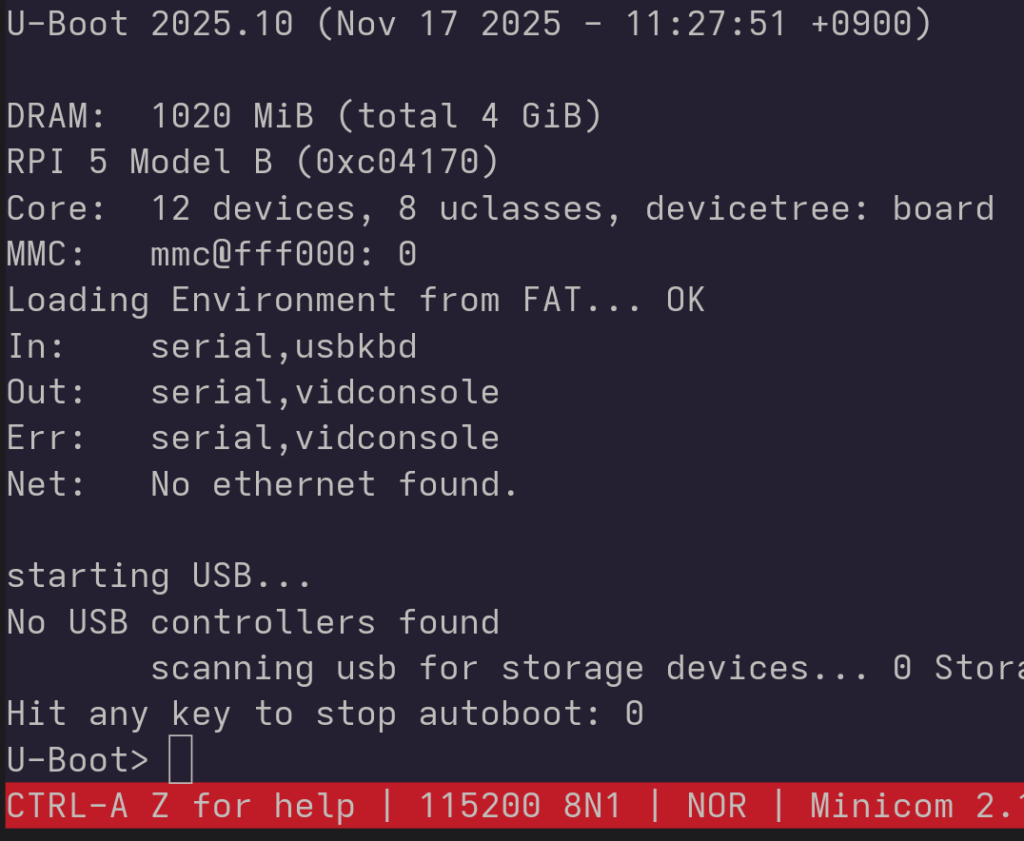
이제, SD card를 RPi5에 넣고 부팅을 시도하면 u-boot이 실행되고 부팅을 위한 카운트 다운이 실행되는데, 이 때 Enter key를 눌러서 u-boot> prompt를 띄운다.
printenv로 현재 환경변수들을 살펴보면 bcm2712-rpi-5-b.dtb의 경로가 잘못되어 있고, bootcmd가 설정되어 있지 않는 것을 볼 수 있다. 아래와 같이 설정해서 환경변수를 저장하면 이후로는 곧바로 부팅 할 수 있다.
setenv fdtfile bcm2712-rpi-5-b.dtb
setenv bootcmd "fatload mmc 0:1 ${kernel_addr_r} Image; fatload mmc 0:1 ${fdt_addr_r} ${fdtfile}; fatload mmc 0:1 ${ramdisk_addr_r} uInitrd; booti ${kernel_addr_r} ${ramdisk_addr_r} ${fdt_addr_r}"
saveenv

run bootcmd
참고로 변경한 u-boot 환경변수들을 모두 reset 하고 싶으면 아래의 명령어를 수행하면 된다.
env default -a
saveenv
부팅완료 후 root shell